Apple has launched iOS 26.3, iPadOS 26.3, macOS Tahoe 26.3, watchOS 26.3, tvOS 26.3, and visionOS 26.3, with several upgrades to offer a streamlined user experience.
Transfer to Android
The Cupertino-based tech giant is simplifying for iPhone users to transition to an Android smartphone in iOS 26.3, rolling out a new transfer feature that allows an iPhone user to place their device next to an Android device to start a transfer process.
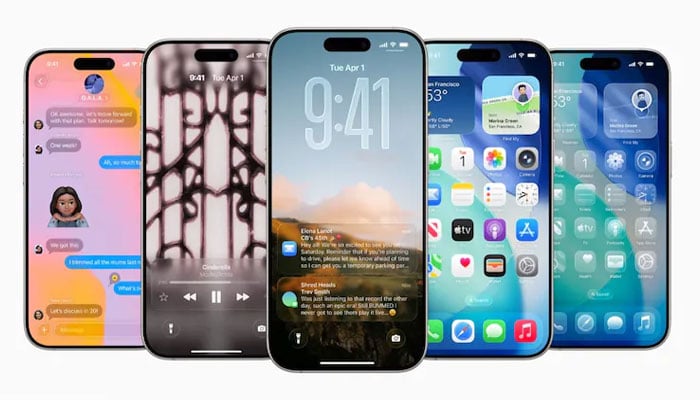
Weather Wallpaper
Apple has brought a new Weather wallpaper section in the Lock Screen customization options. Previously, the company included a combined section for Astronomy and Weather; however, Weather was split out into its own category.
Currently, the company has three pre-designed Weather wallpapers with different fonts for the time and different weather widgets to offer users an idea to use Weather wallpaper.
Limit precise location
iOS 26.3 now allows users to limit carrier location tracking for carriers that add support for the feature, an option that is only compatible with the C1 and C1X modems, which are only available in the newest iPhone models.
Notification forwarding
In the iOS 26.3 beta, the company experimented with a new "Notification Forwarding" setting that enables upcoming notifications on an iPhone to be forwarded to a third-party wearable.
Apple has now made this feature a part of iOS 26.3 to acknowledge antitrust complaints suggesting that third-party wearables should include the similar access to notifications and other features as the Apple Watch.
Security updates
iOS 26.3 addresses a plenty of security vulnerabilities, including one bug that was known to be actively exploited.
It includes some other vulnerabilities that were fixed too, across services and apps. A CoreAudio bug could enable a suspicious file to terminate an app, and a bug with Game Center could enable users to view sensitive information.
Apple has now recommended all users to update their devices to iOS 26.3, iPadOS 26.3, and macOS Tahoe 26.3 soon.
Here’s how to update iOS 26.3
Initially, launch Settings app > install iOS 26.3 > General section > Software Update.
Compatibility
Users of iPhone 11 and later can access the recently introduced iOS 26.3.